The 4 Numbers Worth Tracking
Run your marketing program on four numbers, not forty.
There is no single home dashboard in Get Shouting; your core numbers live under Analyze, with each channel in its own, dedicated tab. Bookmark this lesson and revisit monthly (see Your 30-Minute Monthly Review).
Why It Matters
You can run a marketing program on four numbers, not forty.
What to Do (Stores)
- Track average order value: are customers spending enough per order?
- Track repeat purchase timing: are customers coming back?
- Track email open and click rates: is anyone reading you?
- Track ROAS once you run paid ads: are ads paying for themselves?
What to Do (Services)
No store? Swap the commerce numbers for discovery and pipeline metrics. You still only need four:
- Track social discovery: are posts getting views and engagement?
- Track list growth: are new contacts signing up each month?
- Track email open and click rates: is anyone reading you?
- Track paid ad efficiency once you run ads: ROAS, or cost per click until you can tie offline bookings to ads.
Copy / Template You Can Steal
Four numbers cheat sheet (stores):

1. AOV (avg order value) → Analyze → Analysis → Avg. Lifetime Spend: All
2. Repeat behavior → Analyze → Analysis → Avg. Days Between Orders: All Repeat Customers
3. Email engagement → Analyze → Email → Open Rate, Click Rate
4. ROAS (when running ads) → Analyze → Campaigns or Paid Social

Four numbers cheat sheet (services):

1. Social discovery → Analyze → Organic Social → Views, Likes, Comments, Top Posts
2. List growth → Contacts → total contacts + new signups from your subscribe form
3. Email engagement → Analyze → Email → Open Rate, Click Rate
4. Paid efficiency → Analyze → Paid Social → ROAS, Clicks, Cost (or Campaigns when running multi-channel)
Do It in Get Shouting
Stores (Shopify or WooCommerce connected)
- Open Analyze from main nav
- Pro/Agency: Analysis tab: Avg. Lifetime Spend: All and Avg. Days Between Orders: All Repeat Customers
- Email (or CRM & Email) tab: Open Rate, Click Rate
- Campaigns or Paid Social: ROAS / Paid ROAS (connected paid ad accounts required)
Services (no store)
- Analyze → Organic Social: followers, views, engagement, and top posts (all plans)
- Contacts: watch total contacts grow; add a Subscribe Form on your site to capture inquiries
- Analyze → Email: Open Rate, Click Rate on broadcasts and journeys
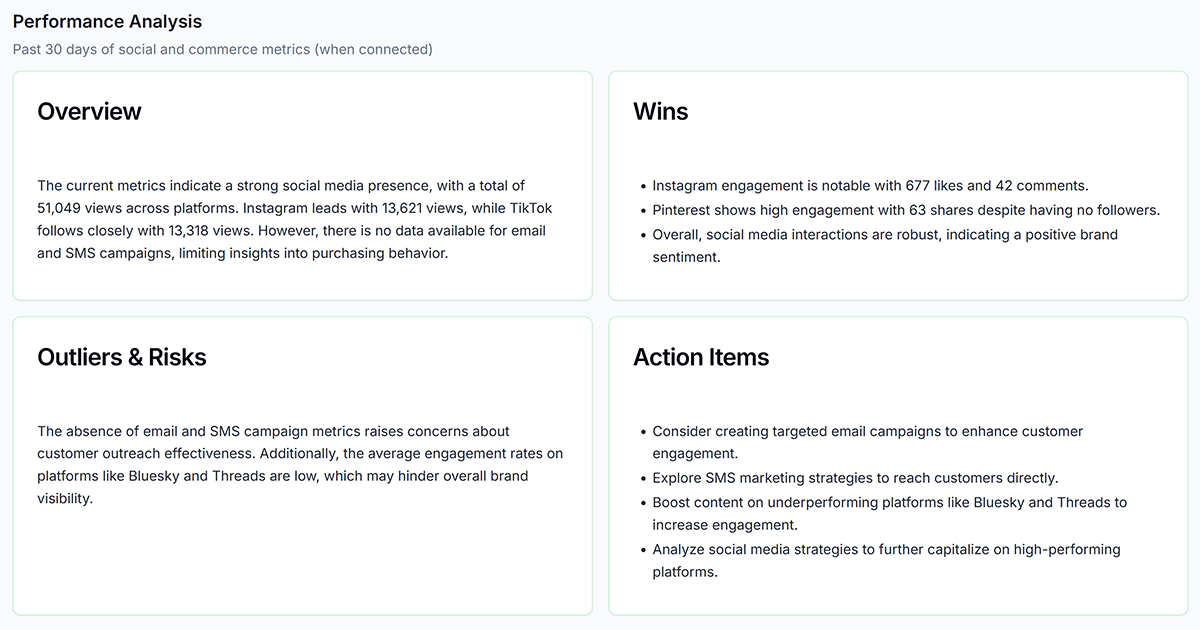
- Analyze → Analysis → Action Items for AI suggestions from social, email, and SMS (no store required)
- Analyze → Paid Social or Campaigns: ROAS, clicks, and spend when you run ads
Keep in Mind
- Commerce metrics on Analysis require a connected Shopify or WooCommerce store; service businesses use Organic Social, Contacts, and Email instead.
- Do not optimize Ads daily: check weekly, review monthly. Your Ads will be running for a while before you see the full picture. When you publish an Ad with Get Shouting, we give the Ad platform a number of text and image variants based on what you've created. Each Ad platform has its own way of combining and optimizing all the components and variants, and this takes time.
Related How-To Guides
Apply Your Knowledge
Start your free trial and follow along in Get Shouting.
Start Your Free Trial TodayNo credit card required • 14-day free trial • Cancel anytime