How to Connect
TikTok Ads
Publish paid TikTok Ads from your multi-channel Campaigns or Social Ad preview, with spend and conversions synced back automatically.
Prerequisites
- A TikTok for Business advertiser account with a valid payment method at ads.tiktok.com
- Admin access to that advertiser account (or access via TikTok Business Center)
- A Get Shouting brand on a Pro or Agency plan with Paid Ad Settings visible
- Brand Admin role to connect or disconnect
- Pop-ups allowed in your browser for the TikTok OAuth window
Organic vs paid: Connecting TikTok under Manage Social Accounts publishes organic posts. TikTok Ads under Paid Ad Settings is a separate OAuth; you need both for organic posts and paid ads.
Billing: TikTok charges ad spend directly to your advertiser account. Get Shouting charges a plan-based processing fee on your authorized gross budget at publish (waived on Shouter plans).
Step-by-Step Connection
Step 1: Create or Access a TikTok Advertiser Account
- Go to TikTok Ads Manager and sign in with the account that should manage the brand’s ads
- Create an advertiser account if needed (business name, industry, time zone, currency)
- Complete Billing; add a payment method and confirm billing country/currency
- If you use TikTok Business Center, ensure the user you connect has access to the advertiser account you will publish into
All campaign spend is billed here by TikTok. Budgets you set in Get Shouting are sent to TikTok for your flight dates; TikTok delivers ads and charges this payment method.
Step 2: Connect TikTok Ads in Get Shouting
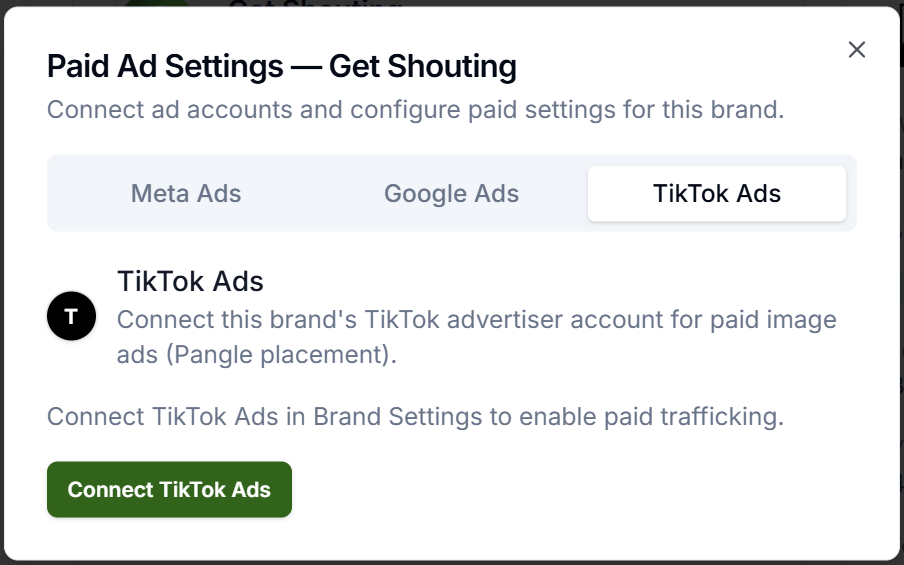
- Open Account → Social & Brand Settings for the brand (agency: use the brand card in the multi-brand grid)
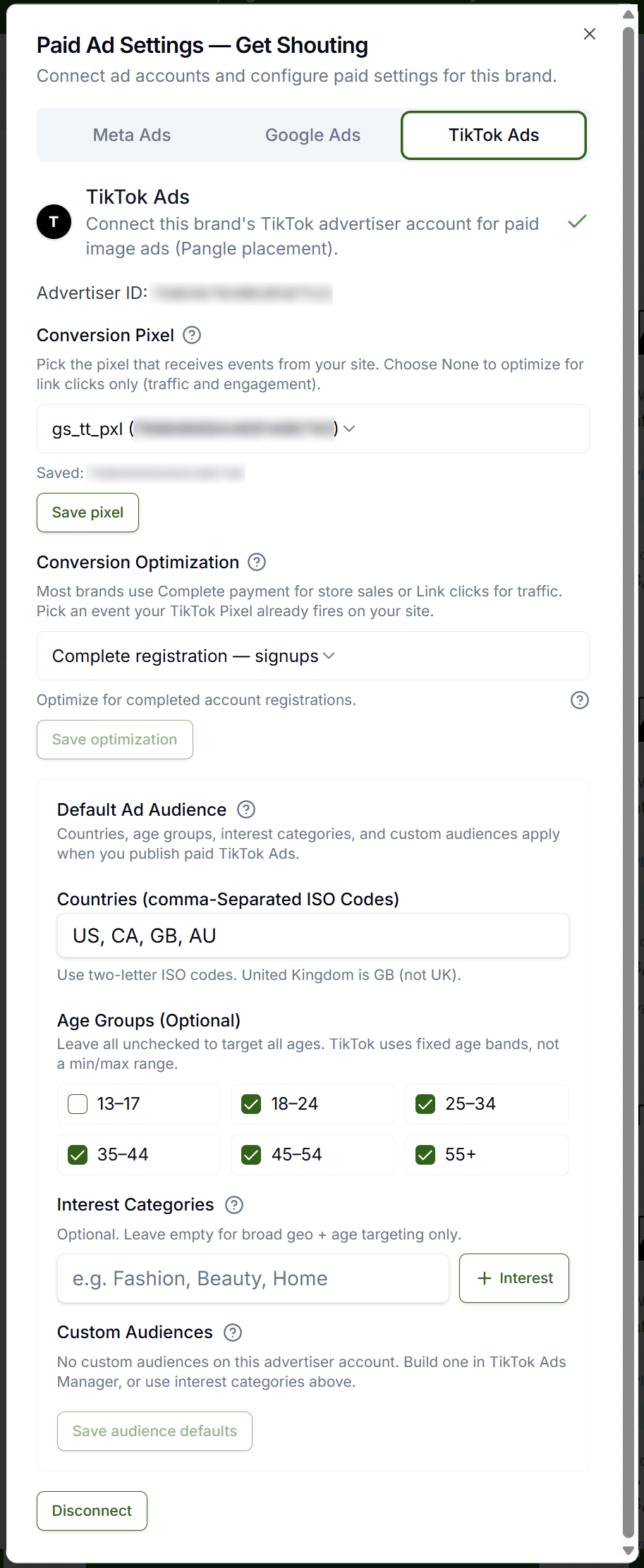
- Scroll to Paid Ad Settings → TikTok Ads tab
- Click Connect TikTok Ads and complete the TikTok OAuth pop-up
- Under Select Advertiser Account, choose an account → click Save advertiser account
- Confirm the card shows Advertiser ID: with your saved ID
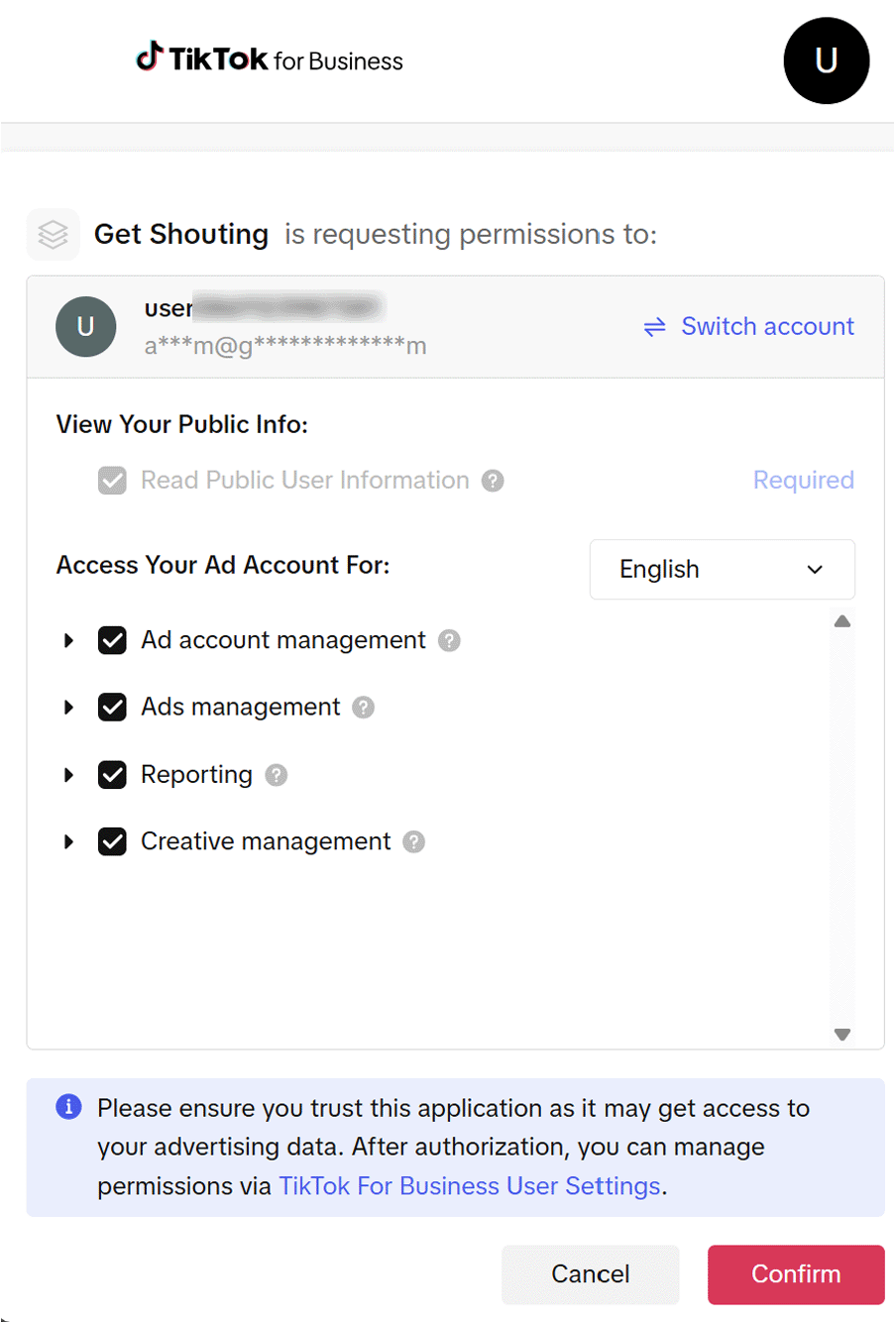
In the TikTok OAuth pop-up, review the permissions Get Shouting requests and click Confirm.
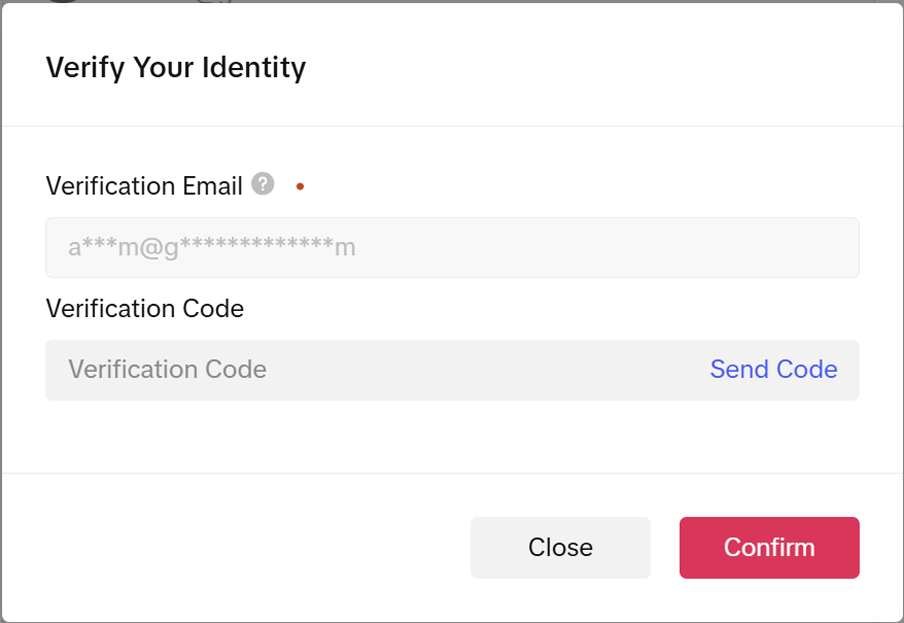
If TikTok prompts you to verify your identity, enter the code sent to your verification email and click Confirm.
Wait for the OAuth pop-up to reach TikTok Ads connected before closing. Agency admins: open Paid Ad Settings; {brand name} from each brand card in the multi-brand grid.
Step 3: Set Up Conversion Tracking on Your Store (Optional)
Get Shouting does not install TikTok Pixel or Events API tags on your website.
- For conversion measurement beyond traffic campaigns, set up a TikTok Pixel in TikTok Events Manager and install it on your storefront
- See Store conversion tracking for Meta/Google patterns; TikTok is configured separately in Events Manager
Step 4: Publish from Get Shouting
- Static image ads publish to Pangle (TikTok Audience Network). Video ads publish to TikTok in-feed
- Multi-Channel Campaigns: Step 1 → Social Ads → check Publish to TikTok Ads (paid) → set TikTok gross ad spend → use Publish to TikTok on an approved paid item
- Ad Preview: Publish → Publish ad → check Publish to TikTok Ads (paid) → confirm gross spend and flight dates
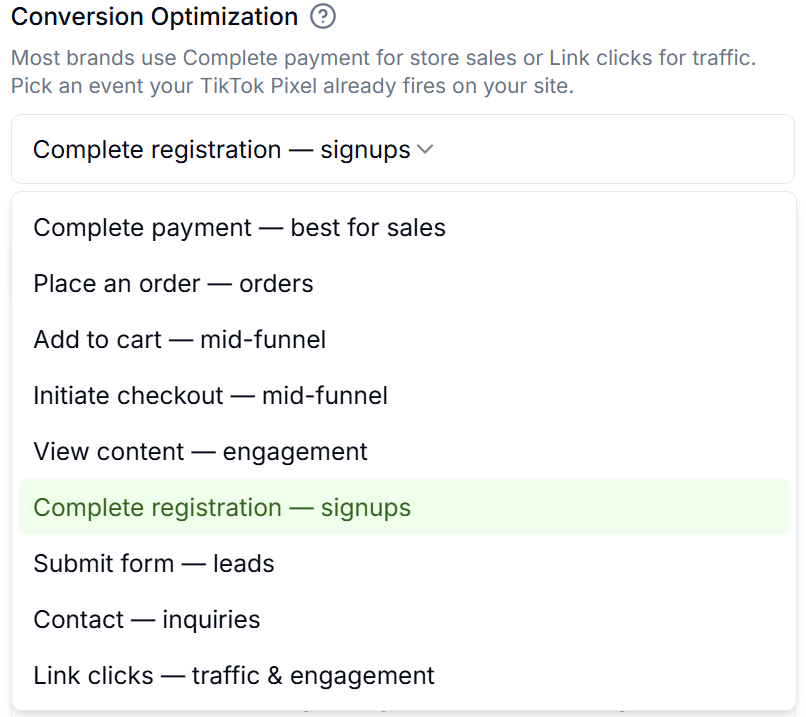
See also: Choose a Paid Campaign Type
Step 5: Verify the Connection
- The Paid Ad Settings card should show your saved Advertiser ID
- Publishing a paid build item to TikTok should create delivery for your selected flight dates
- Within about 24 hours of publish, Get Shouting’s insights sync should populate spend and performance on the campaign report
Troubleshooting
TikTok Ads tab missing
Brand must be Pro or Agency; upgrade plan or confirm Brand Admin role.
Authorization did not complete
Allow pop-ups; wait for TikTok Ads connected before closing the OAuth window.
No advertiser accounts after OAuth
TikTok user must have access to at least one advertiser account in Business Center or Ads Manager.
Minimum budget error
Increase TikTok gross ad spend for the flight length; image ads on Pangle have platform minimums.
Next Steps
- Connect Meta Ads
- Connect Google Ads
- Store conversion tracking
- Create a Multi-Channel Campaign; publish paid ads to TikTok from Build
- Create an Ad
- Brand Settings
- Analyze; campaign spend and ROI
Related Marketing Academy Lessons
Strategy and context for why these steps matter:
Turn Plans Into Paid Campaigns
Connect TikTok Ads once, then publish and track spend from every campaign
Start Your Free Trial TodayNo credit card required • 14-day free trial • Cancel anytime