TikTok Ads in Get Shouting
TikTok paid ads: video in-feed vs image on Pangle, and how placement follows creative in Get Shouting.
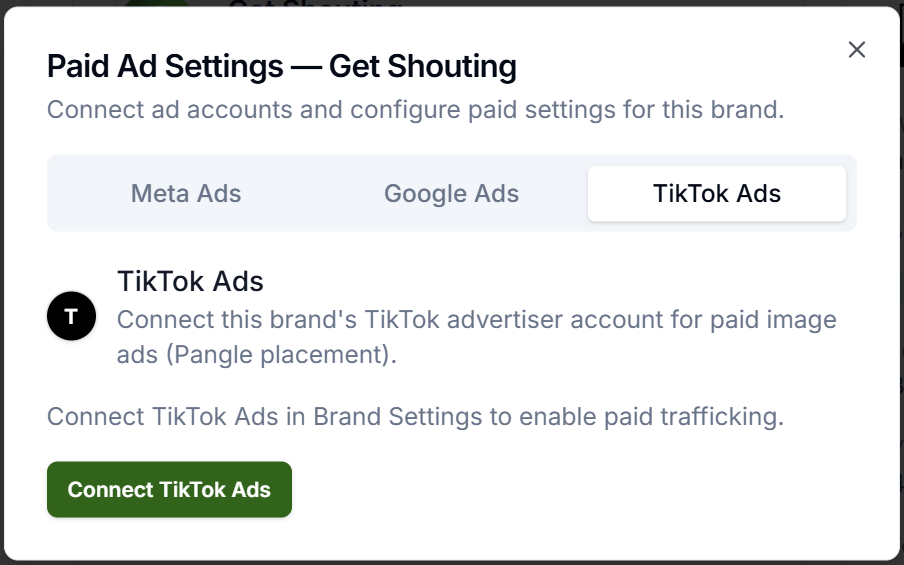
Get Shouting publishes paid TikTok ads with your full designed creative. Connect once in Paid Ad Settings → TikTok Ads, then publish from Campaign or Ad Preview. Video ads go to TikTok in-feed; image ads go to Pangle (Audience Network). New to paid ads? Start with How Paid Ads Work.
Why It Matters
In Get Shouting you don’t pick TikTok placements; creative format decides placement. Video = TikTok in-feed (higher intent for conversions). Image = Pangle audience network (broader reach, lower engagement quality).
Industry guidance aligns: conversions and leads → video in-feed; awareness and reach at lower cost → image on Pangle. Pick the format that matches your goal before you publish.
Plan & Setup Notes
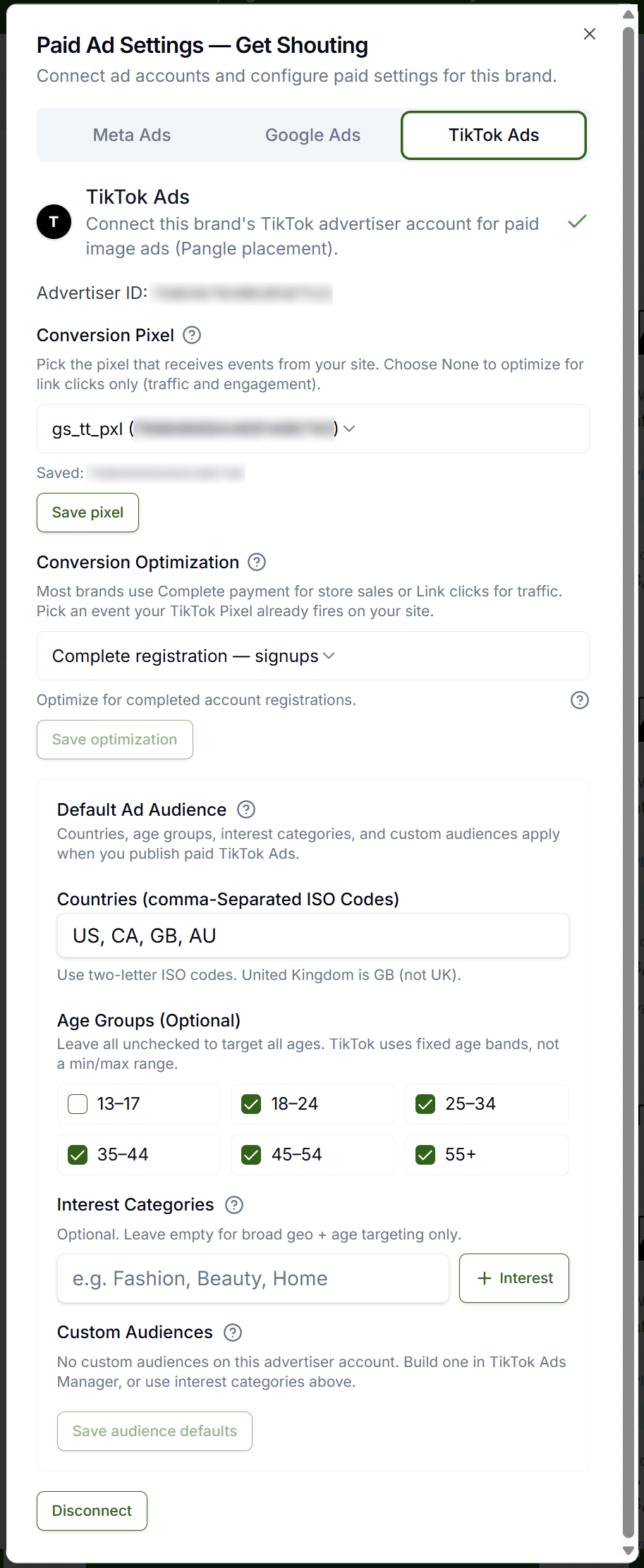
TikTok publish requires Pro or Agency (including free trial on those plans). Connect under Paid Ad Settings → TikTok Ads. Organic TikTok under Manage Social Accounts is separate from paid. TikTok bills ad spend to your advertiser account; Get Shouting charges a processing fee on gross budget at publish. TikTok Pixel is optional in TikTok ad setup at publish; install it on your store in TikTok Events Manager separately for conversion measurement.
What to Do
Connect and Publish in Get Shouting
- Paid Ad Settings → TikTok Ads → OAuth → save advertiser account.
- +CREATE → Social → Create Ad or +CREATE → Campaign with Social Ads → check Publish to TikTok Ads (paid).
- Set gross spend and flight dates in TikTok ad setup → optionally attach TikTok Pixel for conversion measurement.
- Publish → TikTok delivers for your flight dates. Video creative routes to in-feed; image creative routes to Pangle automatically.
Quick Recommendations by Goal
| Goal | Creative format | When |
|---|---|---|
| Store sales / conversions | Video ad | In-feed; higher intent, better for purchases and leads |
| Brand awareness / cheap reach | Image ad | Pangle; broader audience network at lower cost |
| Product catalog with static creative only | Image ad | Pangle; raise gross budget to meet platform minimums |
Video vs Image: Where Get Shouting Publishes
| Format | Where Get Shouting publishes | Optimizes toward | Choose when | Skip when |
|---|---|---|---|---|
| Video ad | TikTok in-feed (For You and related feeds) | Engagement and conversions in native TikTok environment | Store sales, leads, or any conversion goal; you have or can create video creative | You only have static product images and need lowest-cost reach |
| Image ad | Pangle (TikTok Audience Network, partner apps and sites) | Reach and impressions at lower CPM; broader but lower engagement quality | Brand awareness, top-of-funnel reach, or catalog promos with static creative only | Conversions are the primary KPI; in-feed video typically performs better |
Get Shouting does not expose TikTok objective or placement pickers; placement follows your creative format. You can optionally attach a TikTok Pixel at publish for conversion measurement (install on your store in Events Manager separately).
Rule of thumb: match creative format to goal before publish. Conversions and leads → video in-feed; awareness and cheap reach → image on Pangle. Platform reference: TikTok: choose the right objective · TikTok: about placement.
Also see: Meta Ads · Google Ads · Connect TikTok Ads.
Optimize After Launch
- Analyze → Paid Social: spend, impressions, clicks, conversions, ROAS (syncs within ~24 hours).
- Campaigns → Paid Social → Manage Live Ads: pause/resume, flight dates, gross budget.
- Campaign → Optimize tab: AI suggestions for winners, fatigue, budget reallocation (Apply or Dismiss).
- Refresh creative every 2–4 weeks when performance fatigues.
Copy / Template You Can Steal
TikTok ads in Get Shouting:

Connect: Paid Ad Settings → TikTok Ads (advertiser account)
Publish: Ad Preview or Campaign → Publish to TikTok Ads (paid) → gross spend + flight
Go live: delivery starts for flight dates

Goal → creative format → placement:
Store sales / conversions → Video ad → TikTok in-feed
Brand awareness / cheap reach → Image ad → Pangle
Static catalog only → Image ad → Pangle (raise budget for minimums)

No objective or placement picker; format decides placement
Optional: TikTok Pixel at publish (install in Events Manager)

Rule: conversions → video in-feed | awareness → image Pangle
Do It in Get Shouting
Step-by-step: Connect TikTok Ads, Choose Paid Campaign Type, Create an Ad, Manage Live Ads.
- Open Paid Ad Settings → TikTok Ads → OAuth → save advertiser account.
- Optionally install TikTok Pixel on your store in TikTok Events Manager for conversion tracking.
- Build an ad with the right format: video for in-feed conversions, image for Pangle reach.
- Publish to TikTok Ads (paid) → set gross spend and flight dates → attach pixel if measuring conversions.
- After ~24 hours, check Analyze → Paid Social and Manage Live Ads.
- Next: Suggested Ad Settings.
Keep in Mind
- Organic ≠ paid: TikTok under Manage Social Accounts does not connect TikTok Ads.
- Get Shouting sends your full designed ad (overlays included) to TikTok.
- Creative format is the placement switch; you cannot force an image ad into in-feed or a video ad into Pangle from Get Shouting.
- Pangle minimums: image ads on Pangle have platform minimum budgets; raise gross spend if publish fails on minimums.
- TikTok Pixel is optional at publish; install in Events Manager separately if you want conversion measurement.
Related How-To Guides
Apply Your Knowledge
Start your free trial and follow along in Get Shouting.
Start Your Free Trial TodayNo credit card required • 14-day free trial • Cancel anytime