Keep Customers After They Buy
The sale is just the start of the relationship.
Returning customers already trust you and cost far less to re-engage than finding a brand-new buyer, so staying in touch after checkout pays for itself many times over. The right message at the right time can be just the nudge needed to convert a browser into a buyer and a one-time buyer into a repeat customer.
What Is CRM?
CRM is the general practice of Customer Relationship Management: the system that remembers who your customers are, what they’ve bought, and when to reach them, so follow-ups can be targeted and automatic instead of generic and manual. In marketing terms, CRM is what powers Retention and the second half of the Marketing Flywheel (see Why Marketing Matters): segments, automated journeys, and personalized follow-ups all live here.
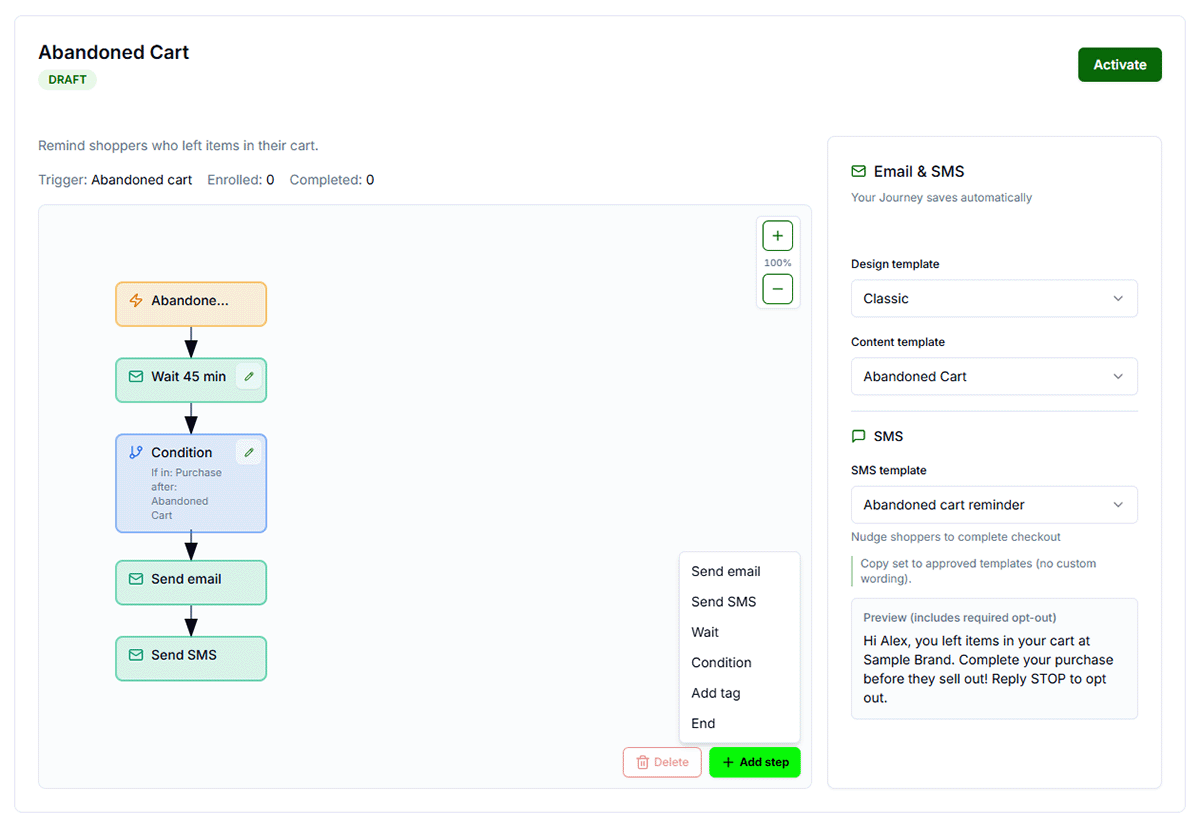
CRM flows or journeys trigger automated messages based on user actions you define. Each journey has trigger points; e.g. when a customer completes a purchase, which can trigger a thank-you email and SMS message.
Why It Matters
Repeat customers cost less to acquire and spend more over time: it’s far cheaper to sell again to someone who already trusts you than to find a brand-new customer. Email is the easiest way to stay in that relationship without being pushy. SMS has the highest open rate of any channel and can be particularly effective in situations like Abandoned Cart conversion. The CRM journeys below automate the moment right after a purchase; pairing them with occasional campaigns built from your latest products, promotions, or blog content keeps the relationship going well past delivery day.
What To Do
- Email 1 (immediate): order confirmation + how to use/care for the product.
- Email 2 (after delivery): ask for a review; offer a small reward if appropriate.
- Keep tone helpful, not pushy.
- Beyond the automated journeys, send an occasional campaign built from a new product line, an active promotion, or a blog post, so customers hear from you between purchases, not just right after.
Template You Can Steal
Post-delivery subject: How's your [product]?
Body: We'd love a quick review: [review link]
Do It In Get Shouting
- Campaigns → CRM Journeys → enable Thank You for Purchase and/or Order fulfilled
- Set Up → assign templates → toggle Active
- Edit Wait delays on the journey canvas for review timing
- For ongoing campaigns: +CREATE → Email → Generate from a URL (a product collection, campaign landing page, or blog post) to build a ready-to-send email without starting from a blank page
Keep In Mind
- You can edit Wait delays on the journey canvas; e.g. review ask 3 days after delivery.
- Keep the review ask helpful, not pushy; a small incentive is optional.
- Your Contact Segments are automatically updated with new customers who have purchased.
- Generate from a URL works for any public page: a product line, a live campaign, or a blog post, so you always have something fresh to send without writing from scratch.
Free In-App Guide
Implement as you go in the app. Sign in, open Account → My Profile → Start Marketing Academy and turn on Marketing Academy for the Ecommerce or General track. Email and in-app reminders will walk you through each step. See Use the In-App Marketing Academy.
Related How-To Guides
Next Up
In the next chapter, we'll be talking about Targeted Segments. Message smaller, relevant groups.
Apply Your Knowledge
Start your free trial and follow along in Get Shouting.
Start Your Free Trial TodayNo credit card required • 14-day free trial • Cancel anytime