How to Use SMS Campaigns
SMS Campaigns are one-time text blasts to an SMS Segment — like an Email Campaign, but for opted-in phone contacts. Use them for flash sales, back-in-stock alerts, and timely announcements.
SMS Campaigns vs Other Messaging
| SMS Campaign (blast) | CRM Journey SMS step | Email Campaign |
|---|---|---|
| One-time broadcast you send or schedule once | Automated step when a contact reaches that point in a Journey | One-time email broadcast |
| +CREATE → SMS or Campaigns → SMS | Send SMS node on Journey canvas | +CREATE → Email or Campaigns → Email |
| Free-form message in SMS editor | Approved SMS preset from Content Templates (SMS tab) | Rich email editor with Design + Content templates |
Before You Send
- SMS setup complete — Sender Name, TCPA agreement, and assigned toll-free number in CRM & SMS Settings (SMS Setup).
- Connected store — Required for +CREATE → SMS and the Campaigns → SMS tab.
- Active paid subscription — Trial accounts cannot send SMS blasts (Billing).
- SMS-opted-in contacts only — Only contacts with verified SMS consent receive blasts. STOP replies and double opt-in are enforced automatically.
Create an SMS Campaign
- Click +CREATE → SMS, or open Campaigns → SMS and click Create.
- Enter a Campaign Name (internal label; not sent to recipients).
- Write your Message in the SMS editor.
- Choose a Segment (for example, All subscribed contacts or a custom SMS Segment).
- Click Save, then Send Now or Schedule.
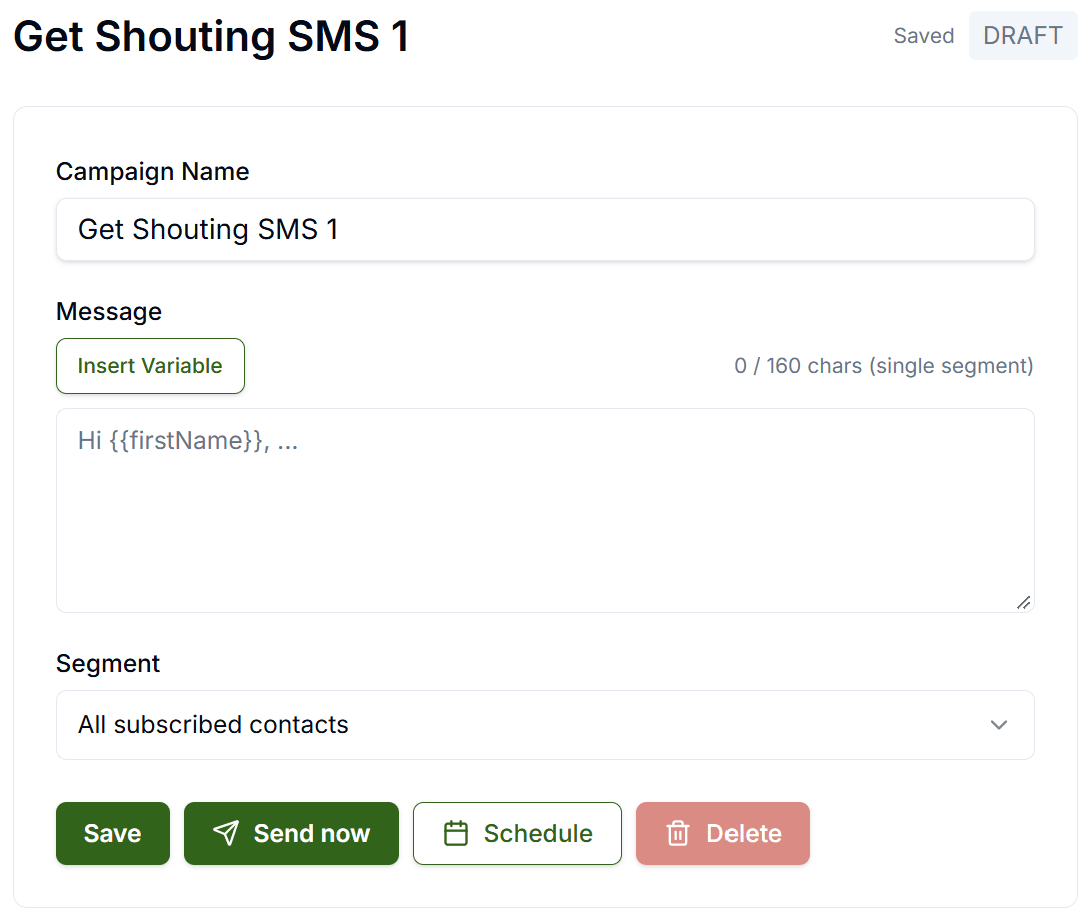
Draft campaigns show a DRAFT badge until sent. The character counter tracks your message body toward the 160-character single-segment limit shown in the editor. Get Shouting also appends a compliance opt-out footer (Reply STOP to unsubscribe) at send time — budget roughly 28 extra characters beyond what you type.
Insert Variable (Merge Tags)
Click Insert Variable in the message field to add placeholders replaced with each recipient’s data at send time. Tags use double-brace syntax (for example, Hi {{firstName}},).
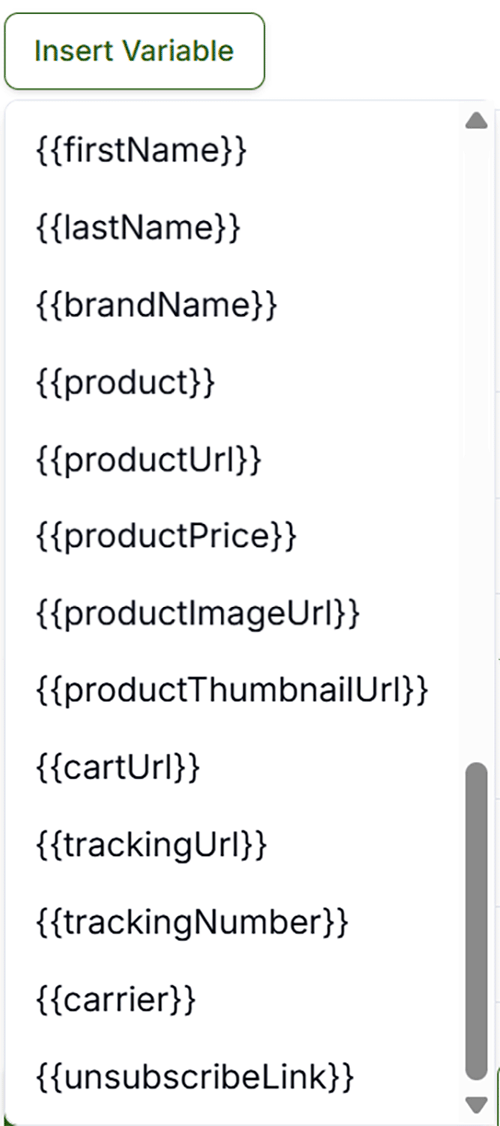
| Variable | Inserts |
|---|---|
{{firstName}} | Contact first name |
{{lastName}} | Contact last name |
{{brandName}} | Your brand name |
{{product}} | Product name from contact or store context |
{{productUrl}} | Product page URL |
{{productPrice}} | Product price |
{{productImageUrl}} / {{productThumbnailUrl}} | Product image URLs (MMS-capable carriers only) |
{{cartUrl}} | Cart recovery link when available |
{{trackingUrl}} / {{trackingNumber}} / {{carrier}} | Shipment tracking details when available |
{{unsubscribeLink}} | Opt-out link (STOP footer is also appended automatically) |
If a tag has no value for a contact, it renders empty. Commerce and tracking variables populate when the contact record or connected store provides that data. Journey SMS steps also support {{orderNumber}} on order-triggered flows — see CRM Visual Journey Builder.
Compliance at Send Time
Get Shouting enforces TCPA rules automatically on every SMS Campaign:
- Opt-out — Contacts who reply STOP (or CANCEL, QUIT, UNSUBSCRIBE, END) are excluded from future sends.
- Quiet hours — Marketing SMS are not sent outside weekdays 11:00 AM–7:00 PM in the recipient’s local time (inferred from area code). Messages scheduled outside this window are held until the next allowed time.
- State frequency caps — Florida, Oklahoma, Oregon, and Maryland contacts are limited to 3 marketing SMS per 24 hours.
- Double opt-in — New subscribers must confirm with YES before becoming active (enabled by default).
Editor Actions
- Save — Saves the draft without sending.
- Send Now — Delivers immediately to opted-in contacts in the selected Segment (subject to quiet hours and frequency caps).
- Schedule — Opens the schedule picker to send at a future date and time.
- Delete — Permanently removes the draft or cancels a scheduled send.
After the Send
- Each recipient counts as one send toward your monthly quota (500 free sends/month on all plans, shared with email Campaigns and Journey messages).
- Review SMS delivery metrics on Analyze → CRM & Email (Analyze Overview).
- Build custom SMS Segments under Contacts → Segments (Pro or Agency) to target future blasts (Segments).