Getting Started
Account creation, first-time setup, and key concepts
This page is button-level how-to reference. For strategy and curriculum context, see the Related Marketing Academy Lessons at the bottom of this page.
What is Get Shouting?
Get Shouting is your automated marketing department, a complete suite of digital marketing tools to help you grow your business. We make it super easy to create goal-driven marketing campaigns (organic social, social ads, email & SMS campaigns, and CRM journeys) and track their performance.
We have all the tools and functionality you need including Social Marketing, Email Marketing, Automated CRM, drag-and-drop AI-optimized Scheduling, a centralized Social Inbox, and Actionable Analytics which provide an analysis and actionable tips and let you dive deep on individual posts, emails, and platforms. We save you hours of manual work generating posts, ads, and emails while optimizing your reach.
You can post text, images, videos, and any combination of these the individual platforms allow. We currently support Instagram, Facebook, TikTok, Pinterest, YouTube, Threads, Bluesky, X/Twitter, LinkedIn, and Google Business.
Emails can be sent as stand-alone Email Campaigns, automated as part of your CRM, or both. You can leverage the Content and Design Templates to ensure that your emails are always on-brand and personalized. The editor is intuitive and allows you to craft by hand, use a template, or use AI-assist to generate from any URL with your own custom prompts.
Automated CRM Journeys automatically connect to your Shopify or WooCommerce store, and can send email and SMS to your contacts based on their realtime store behavior. The Journey Builder is intuitive and allows you to build and customize when and how you reach your customers. Messages are always on-brand with our Content and Design Templates. No coding required. Email Campaigns and CRM messages are automatically segmented based on user behavior and preferences to ensure you’re always reaching the right people at the right time.
- Run goal-driven marketing Campaigns that learn: organic social, paid social ads, email, SMS, and CRM journeys from an easy 3-step process: Plan, Build, Schedule
- Create & publish organic Social Posts from a URL, by hand, or from your store in seconds, then publish to all your connected platforms
- Create, publish, & manage Social Ads create ads the same way you create posts (with some extra features), then publish as paid social ads to Meta Ads, TikTok Ads, Google Ads, or as organic social posts
- Create & publish Email & SMS blasts use our content and design templates or create your own by hand, then publish to your targeted segments
- Automated CRM Journeys your customer management runs on autopilot, sending personalized email and SMS messages at crucial points in their customerjourney
- Track performance and get actionable insights AI Analysis, Campaigns, Store, Social Posts & Ads, Email, SMS & CRM all integrated into a single data dashboard that gives you a complete view of your marketing performance and measures actual ROAS
- Engage your audience from a centralized social inbox
- Contacts & Segments that maintain themselves: Contacts, Segments, & Lists are automatically imported and updated based on realtime customer behavior, or make your own to target specific segments
Key Concepts
- Campaign: A multi-channel campaign: organic social, paid ads, email, SMS, and CRM journeys — planned, built, scheduled, and reported from one wizard. Start from +CREATE → Campaign or manage existing work under Campaigns in the main nav.
- Shout: A set of organic posts (one per platform) sharing the same content theme. Images, videos, and copy are optimized per platform. Edit on the Preview page — see Create a Shout and Create an Ad.
- Post: A single post or ad for a specific platform. Each post can have assets (images/videos), copy, hashtags, and a CTA.
- Assets: Images and videos in your media library (Assets in the nav). Reuse them across Shouts, Ads, and campaigns.
- Contacts: Individual email addresses or phone numbers collected from your website, store, subscribe forms, or imports. Managed under Contacts in the main nav.
- Segments: Groups of contacts used to target email campaigns and SMS blasts. System segments (bounced, spend tiers, journey attribution) are created automatically; Pro & Agency users can build custom segments under Contacts → Segments.
- CRM Journey: An automated email and/or SMS flow triggered by contact or store behavior (purchase, abandoned cart, subscribe, and more). See Create Automatic Emails and Automated CRM Journeys.
Creating Your Account
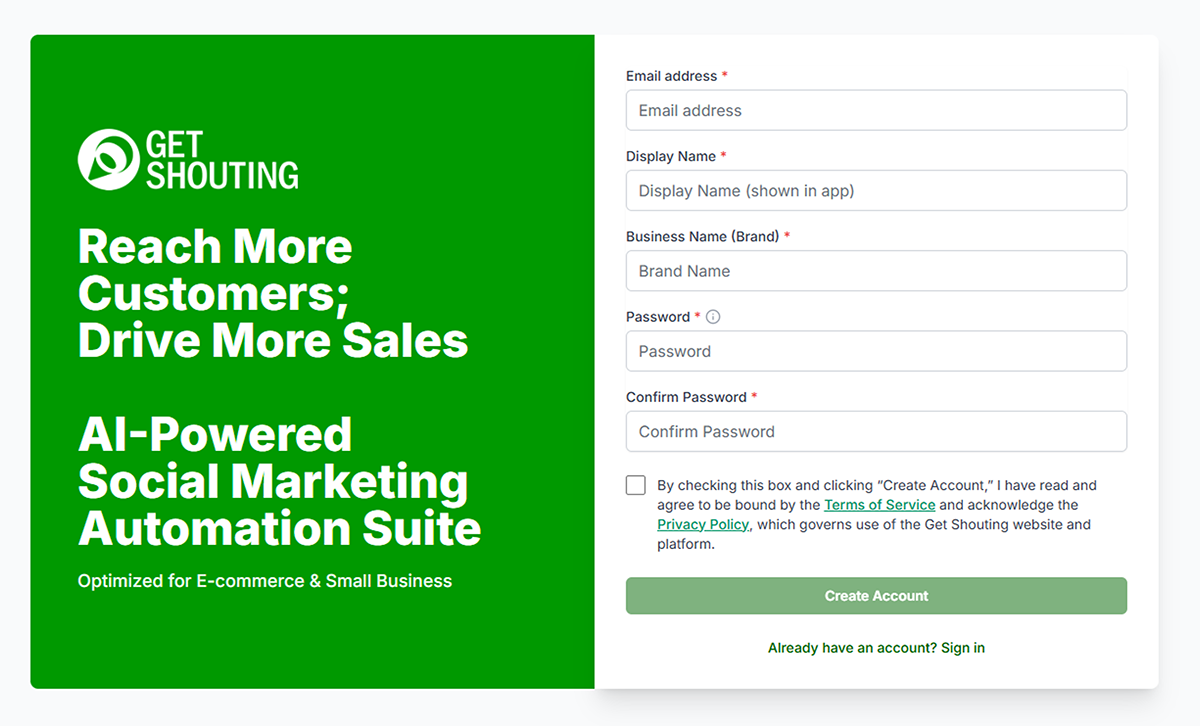
Registration is two steps: first your email, then your password and terms — so we can verify your address before you finish setup.
- Go to getshouting.app/auth/register
- Step 1: Enter your email address and continue.
- Step 2: Create a password (at least 9 characters), review and accept the terms and conditions, and complete signup.
- Verify your email. If you don’t see our verification email, check your Spam, Social, or Update folders.
- Once verified, you will be able to log in using your credentials, and you will be taken on a guided tour of the navigation and key features.
Main Navigation

For a full map of main nav items, Campaigns hub tabs, and Analyze sections, see Product Navigation. For organic and paid social workflows, see Social Marketing Overview.
- +CREATE — Opens the creation chooser: Campaign (multi-channel campaign), Social Shout or Ad, and—when Email CRM is on your plan—Email Blast, SMS Blast, CRM Journey, and Email Template. A single Shout follows Create → Preview → Schedule. See Create a Shout.
- Campaigns — Hub with tabs for multi-channel Campaigns, Organic Social, Paid Social (Manage Live Ads and Materials on Pro or Agency), Email, SMS, CRM Journeys, and email templates when Email CRM is enabled.
- Brand Selector — On Agency plans with multiple brands, switch between fully isolated brands (each has its own Shouts, campaigns, inbox, analytics, and assets).
- Schedule — Drag-and-drop calendar for social posts, email campaigns, and SMS blasts.
- Analyze — Up to five tabs: Analysis (AI summary, Pro or Agency), Campaigns, Paid Social, Organic Social, and Email.
- Inbox — Centralized social inbox. A green dot on the menu item means you have new notifications.
- Contacts — Email and SMS contacts, lists, and segments when Email CRM is enabled on your plan.
- Assets — Your media library (images and videos) for reuse across Shouts, Ads, and campaigns.
- Store — Connected product catalog when Shopify or WooCommerce is linked; Pro or Agency can batch-schedule 7, 14, or 30 days of Shouts.
- Account — Click your display name for Social & Brand Settings, Team, Agency, My Profile, and Billing. Hover to sign out or see recent publish activity.
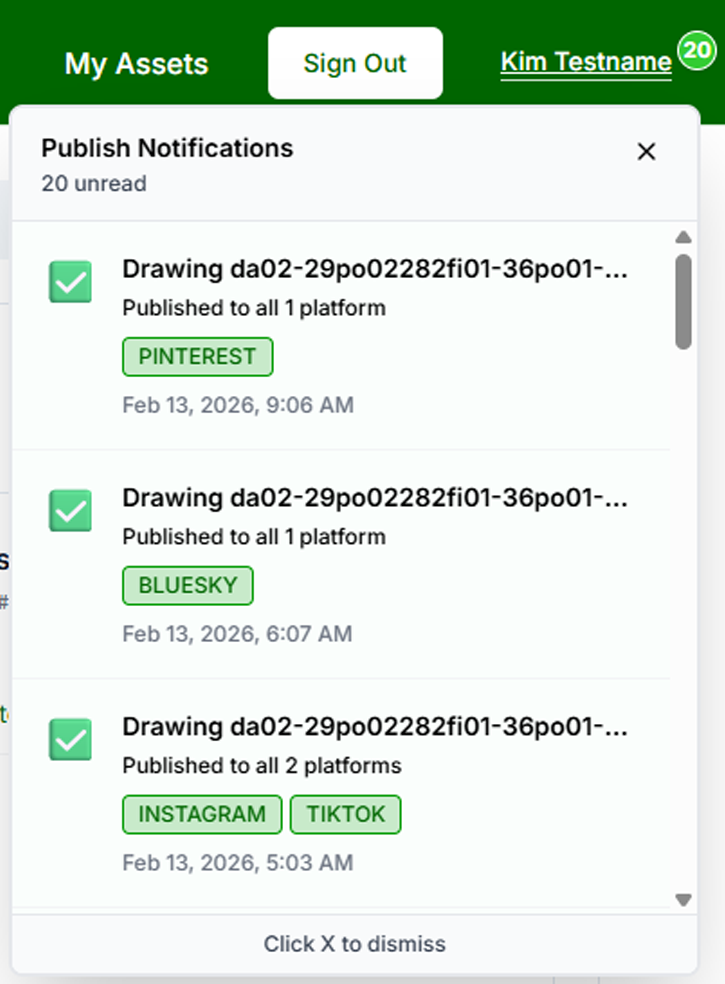
In Account you can edit Brand settings (including Meta Ads and email sender), connect social accounts and your store (Shopify or WooCommerce), manage team members (Pro or Agency plan), and additional brands (Agency plan).
Multi-Channel Campaigns
A multi-channel campaign coordinates organic social, paid ads, email, SMS, and CRM journeys from one AI-guided wizard — different from a single Social Shout, Ad Shout, email blast, or Journey alone.
- +CREATE → Campaign — Set goal, brief, channels, and timing.
- Make A Plan — Review and approve the AI-generated channel mix and schedule.
- Build — Generate organic shouts, paid ad variants, emails, SMS, and journeys; approve each material.
- Schedule — Commit organic, email, SMS, and CRM to the calendar. Paid Meta trafficking happens separately from Build when Meta Ads is connected.
Manage campaigns and view portfolio analytics under Campaigns in the main nav and Analyze → Campaigns. Paid ad creatives can be generated without connected ad accounts; publishing requires Meta and/or Google in Paid Ad Settings. Install store conversion tracking for purchase optimization.
See the full walkthrough: How to Create a Multi-Channel Campaign.
Next Steps
- Brand Settings — logo, colors, default fonts, social connections, store, Meta Ads, email sender
- Connect Social Accounts
- Connect Shopify or WooCommerce
- Email Sender & DNS and CRM Journeys (Email CRM plans)
- Create Your First Shout
- Run a Multi-Channel Campaign
- Connect Canva or Google Drive for design import/export
Related Marketing Academy Lessons
Strategy and context for why these steps matter: