Build Your Welcome Series
Set-and-forget; your welcome series runs while you sleep.
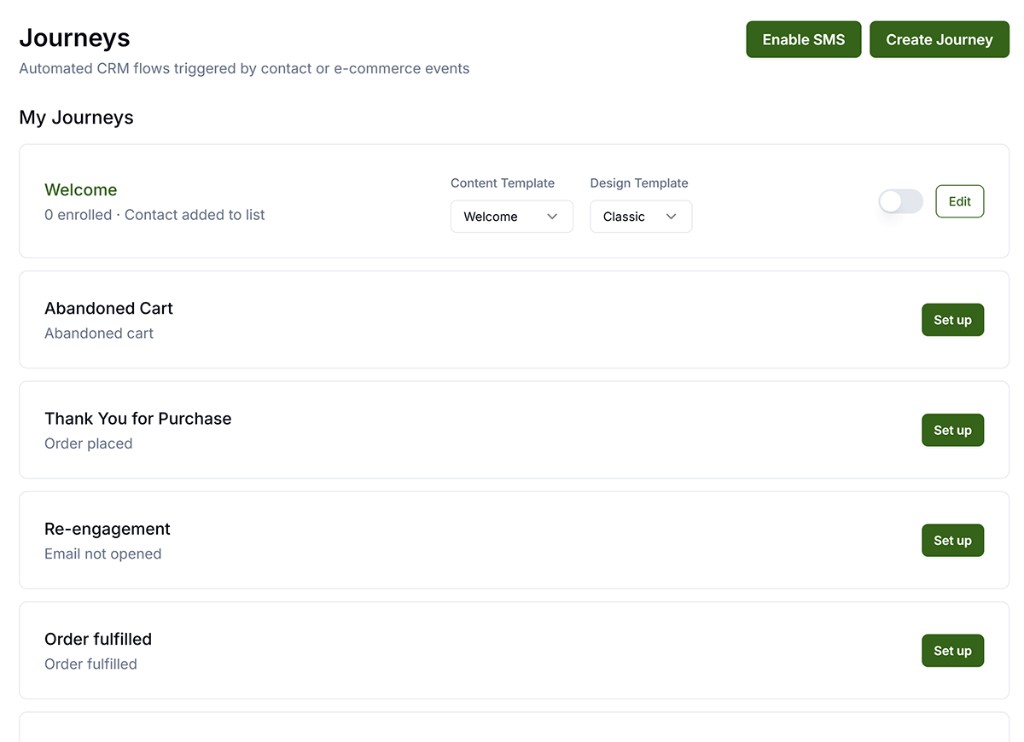
The built-in Welcome journey fires when someone joins your list. Three emails over four days: welcome, story, and social proof while you focus on product and ads.
Why It Matters
Set-and-forget: this runs while you sleep.
What to Do
- Email 1 (immediate): welcome + your offer + what makes you different.
- Email 2 (day 2): your story + best-selling products.
- Email 3 (day 4): reviews/social proof + gentle nudge to use the offer.
- Complete email DNS verification before activating.
Copy / Template You Can Steal
Email 1 subject: Welcome: here's [offer]
Email 2 subject: The story behind [brand]
Email 3 subject: What customers are saying
Do It in Get Shouting
Full walkthrough: Multi-Day Welcome Series (built-in timing, templates, and activation).
- Complete email sender and DNS setup first (Make Sure Your Emails Actually Arrive)
- Campaigns → CRM Journeys (or Email → CRM Journeys)
- Find Welcome journey card → Set Up
- Choose Design Template + Content Template per Send Email step → toggle Active
Pro or Agency: open the Welcome journey canvas to edit Wait delays or build a custom multi-day welcome; see CRM Visual Journey Builder.
Keep in Mind
- Complete Make Sure Your Emails Actually Arrive (email DNS) before activating any journey.
- Use +CREATE → Social → Generate to pull bestseller copy into templates instead of writing product blurbs from scratch.
Related How-To Guides
Apply Your Knowledge
Start your free trial and follow along in Get Shouting.
Start Your Free Trial TodayNo credit card required • 14-day free trial • Cancel anytime