Build One Campaign Across Every Channel
One brief in: coordinated social, email, SMS, and CRM out.
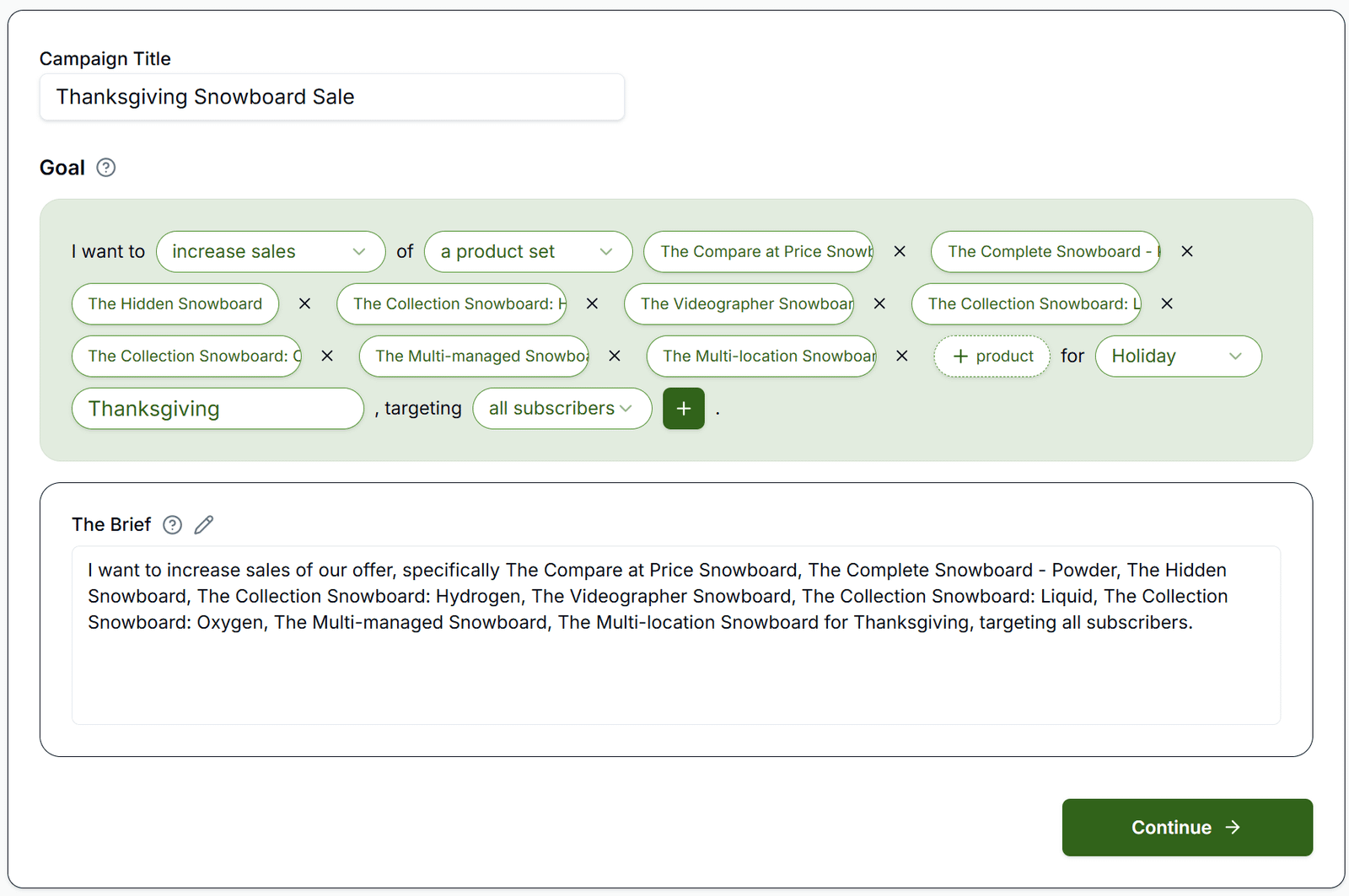
This is the capstone: one brief produces coordinated social posts, emails, SMS, and CRM journeys. The wizard runs Goal → Plan → Build, then Approve & Schedule commits everything to the calendar.
Why It Matters
A cohessive Campaign across all your channels with a shared goal and integrated data ensures all your messaging is alligned and your metrics are telling a consistent story. This replaces building five separate actions and services.
Plan & setup notes
Publishing Ads requires Pro or Agency.
What to Do
- Describe the promotion once: what, when, offer.
- Review matching social posts, email, and SMS across teaser → launch → recovery.
- Adjust wording, approve each piece, schedule the whole sequence.
Copy / Template You Can Steal
Campaign brief template:

Promotion: _______________
Offer: _______________
Dates: _______________
Channels: Organic [ ] Ads [ ] Email [ ] SMS [ ] CRM [ ]
Sequence: teaser → warm-up → launch → recovery
Do It in Get Shouting
- +CREATE → Campaign
- Goal: set promotion, timing, channels (Organic Social, Social Ads, Email, SMS, CRM)
- Make A Plan → review/edit plan → Create Materials
- Approve items → Approve & Schedule
Keep in Mind
- Wizard steps: 1 Goal (Make A Plan) → 2 Plan (Create Materials) → 3 Build (Approve & Schedule).
- Paid ad creatives can be generated without connected ad accounts; publishing paid traffic requires Meta, Google, and/or TikTok in Paid Ad Settings.
Related How-To Guides
Apply Your Knowledge
500x faster than building each channel separately.
Start Your Free Trial TodayNo credit card required • 14-day free trial • Cancel anytime