How to Choose a Paid Campaign Type
Match your goal to the right Meta, Google, or TikTok campaign setup—and to what Get Shouting publishes today.
Get Shouting publishes designed image and video ads to Meta and TikTok (full creative with overlays) and sends Google a clean product image (headline, logo, and CTA render in Google’s layout). Paid publish requires a Pro or Agency plan and a connected ad account under Paid Ad Settings in Social & Brand Settings.
Each platform splits setup between brand defaults (Paid Ad Settings) and per-publish options (Ad Preview or Multi-Channel Campaign Build). Meta also requires paid ads beta access (email allowlist) for the Meta Ads tab and publish checkboxes. Publish from Create an Ad or a Multi-Channel Campaign; adjust live flights in Manage Live Paid Ads.
Quick Decision Guide
Use this table to match a business outcome to the settings Get Shouting actually exposes. Get Shouting does not expose Meta campaign objectives (Awareness, Traffic, Sales) or TikTok objective pickers in the publish flow—those platforms apply objectives behind the scenes from your optimization and creative choices.
| Your goal | Platform & setup | Prerequisites |
|---|---|---|
| Store sales | Meta: Purchase conversion optimization in Paid Ad Settings Google: Performance Max at publish | Meta Pixel or Google tags on your store (Store conversion tracking) |
| Leads, signups, or trials | Meta: Lead, Complete registration, Subscribe, or Start trial optimization | Meta Pixel firing the matching event on your site |
| Mid-funnel store interest | Meta: Initiate checkout or Add to cart optimization | Meta Pixel with those events on your store |
| Traffic / link clicks (no conversion tracking) | Meta: Conversion pixel None (link clicks only) in Paid Ad Settings | Connected Meta ad account; no pixel required |
| Visual prospecting on Google surfaces | Google: Demand Gen at publish (recommended default) | Square logo (≥144×144, ≤150 KB); $5/day minimum net spend |
| Automated cross-channel Google delivery | Google: Performance Max at publish | Google conversion tags recommended on your store |
| Low-budget Display Network test | Google: Responsive Display at publish | Logo recommended; ~$1/day minimum; Google is moving Display into Demand Gen |
| TikTok in-feed video | TikTok: publish a video ad (placement is automatic) | Connected TikTok advertiser account |
| Image ads on TikTok Audience Network | TikTok: publish a static image ad (Pangle placement is automatic) | Connected advertiser account; raise gross budget if platform minimums block publish |
Meta
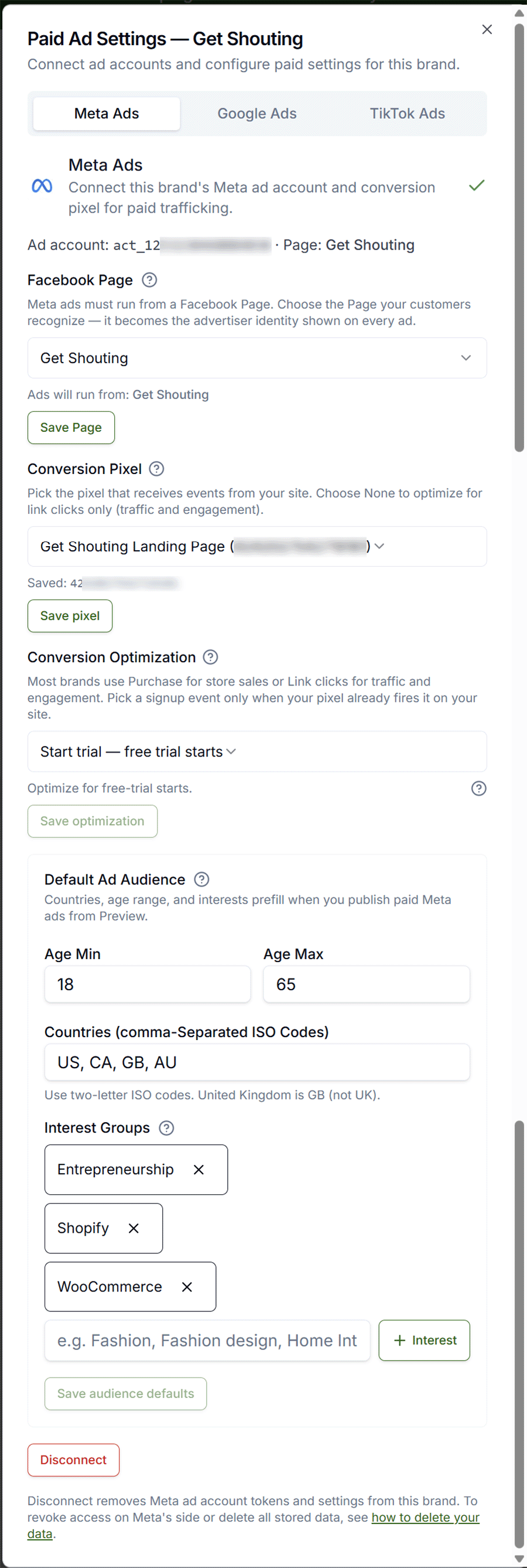
Get Shouting publishes to Meta with your full designed creative (overlays included), gross budget, and flight dates. You choose conversion optimization and optional audience defaults in Paid Ad Settings; at publish you confirm Meta ad setup (gross ad spend, flight dates, audience, conversion pixel). Published campaigns are created paused in Ads Manager so you can review before activating.
Options in Paid Ad Settings
| Setting | Use when | You need |
|---|---|---|
| Facebook Page | Every Meta ad (advertiser identity) | Page linked to your ad account in Business Settings |
| Conversion pixel → Purchase | E-commerce sales optimization | Same Meta Pixel installed on your store, firing Purchase events |
| Conversion optimization → Lead, Complete registration, Subscribe, Start trial | Lead gen, list growth, or trial starts | Pixel firing the matching standard event |
| Conversion optimization → Initiate checkout, Add to cart | Mid-funnel store campaigns | Pixel firing those checkout/cart events |
| Conversion pixel → None (link clicks only) | Traffic and engagement without on-site conversion optimization | No pixel required |
| Default ad audience (age, countries, interests) | Prefill prospecting targeting for every publish | Optional; you can still adjust audience per publish |
At Publish
In Ad Preview or Campaign Build, check Publish to Meta Ads (paid), then open Meta ad setup to set gross ad spend, flight dates, audience (defaults pre-fill from Paid Ad Settings), and conversion pixel. Get Shouting does not install Meta Pixel on your storefront—see Store conversion tracking.
Platform reference (objectives Meta applies in Ads Manager): Meta Ads Guide · Choose the right campaign objective · Our setup: Connect Meta Ads
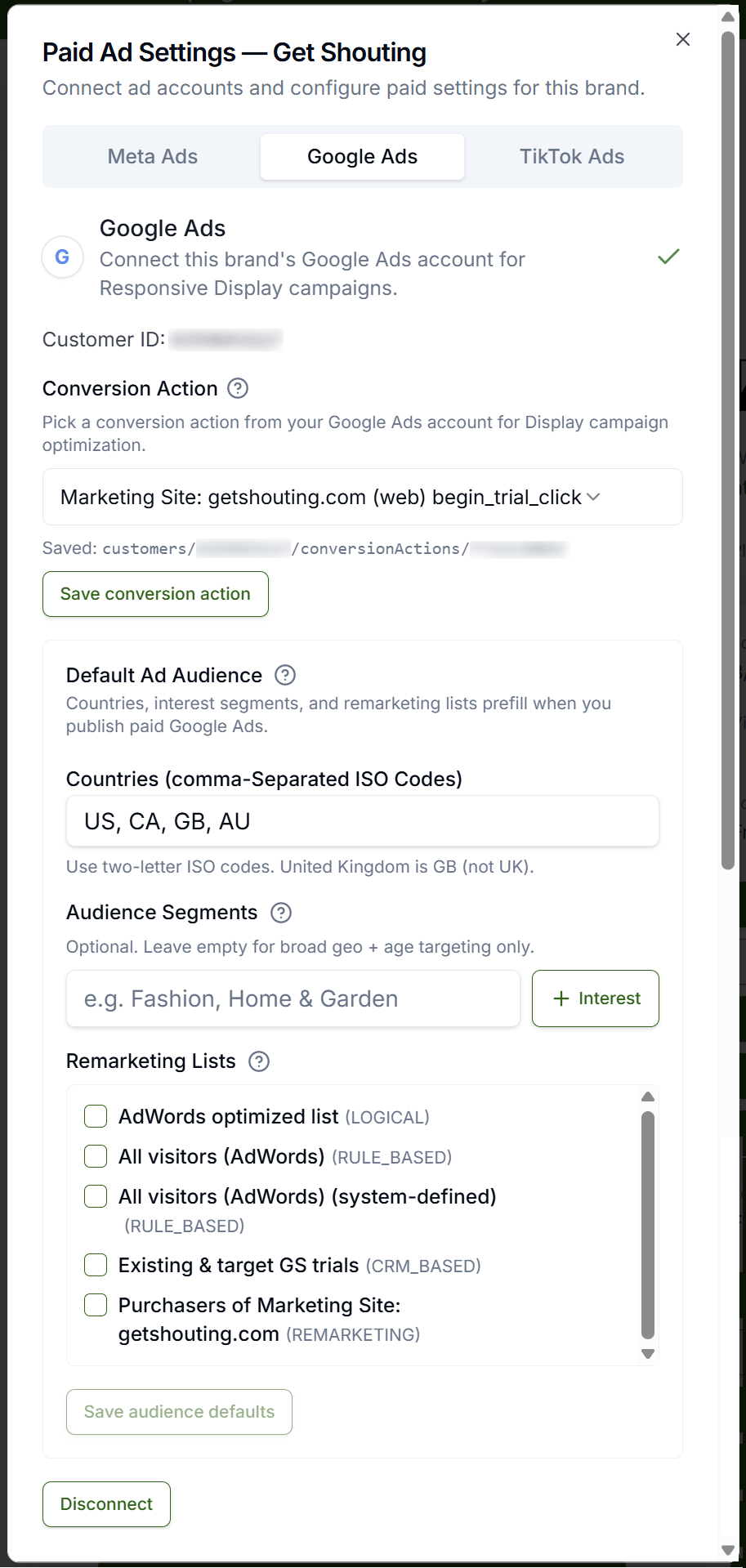
In Paid Ad Settings, Google setup is connect-and-save only: Connect Google Ads → Save customer account. There is no Google tag or campaign-type UI in brand settings. You choose the campaign type in Google ad setup at publish. Published Google campaigns are created ENABLED for your flight dates.
Campaign Types at Publish
| Type | Where ads show | Use when | You need |
|---|---|---|---|
| Demand Gen (recommended default) | Display Network by default; optional YouTube, Discover, Gmail | Visual prospecting with designed product imagery | Square logo (≥144×144, ≤150 KB); $5/day minimum net spend |
| Performance Max | Search, Display, YouTube, Discover, Gmail, Maps | Automated cross-channel delivery toward conversions | Google conversion tracking recommended on your store |
| Responsive Display | Google Display Network | Display-only prospecting at lower daily minimums | Logo recommended; ~$1/day minimum; Google is moving Display into Demand Gen |
Clean images: Google does not allow text, logos, or buttons baked into marketing images. Get Shouting sends your product photo without the designed overlay; Google renders headline, logo, and button separately. Install Google tags on your store separately for conversion optimization—see Store conversion tracking.
Platform reference: Choose a campaign type · About Demand Gen campaigns · Our setup: Connect Google Ads
TikTok
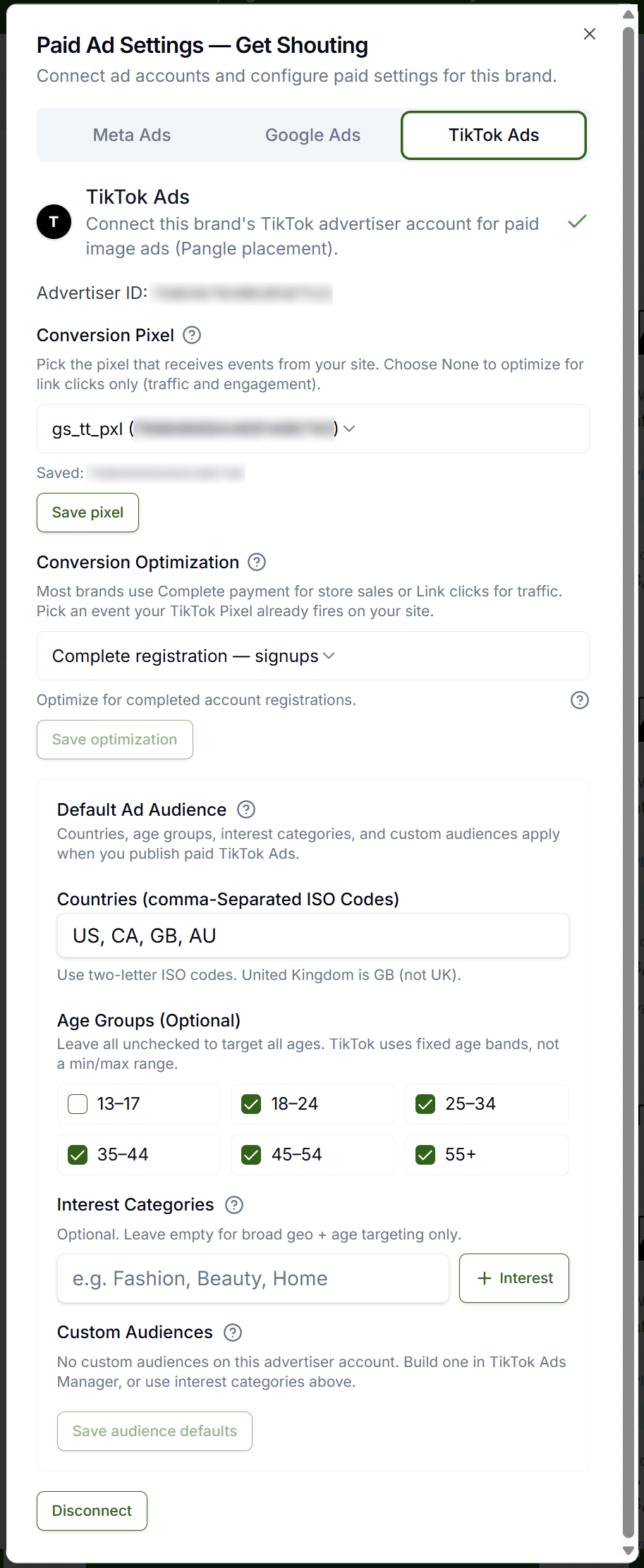
In Paid Ad Settings, TikTok setup is connect-and-save only: Connect TikTok Ads → Save advertiser account. Get Shouting does not expose TikTok campaign objectives or placement pickers—placement follows your creative format. You set gross budget, flight dates, and optional conversion pixel in TikTok ad setup at publish.
Placement by Creative (Automatic)
| Creative | Where Get Shouting publishes | Use when | You need |
|---|---|---|---|
| Video ad | TikTok in-feed | Short-form video on TikTok | Video asset in your Ad; connected advertiser account |
| Static image ad | Pangle (TikTok Audience Network) | Image ads across TikTok’s partner inventory | Image asset in your Ad; gross budget high enough for platform minimums |
Get Shouting sends your full designed creative to TikTok (same as Meta). For conversion measurement beyond traffic campaigns, install a TikTok Pixel in TikTok Events Manager on your storefront—Get Shouting does not install it. You may reference a pixel in TikTok ad setup at publish when optimizing for conversions.
Platform reference (objectives TikTok applies in Ads Manager): Choose the right objective · TikTok Ads Manager overview · Our setup: Connect TikTok Ads
After You Choose
- Create an Ad or Multi-Channel Campaign
- Manage Live Paid Ads for budget and flight changes after publish
- Store conversion tracking for purchase optimization