Broadcast Regularly
Aim for at least one email a month, or, ideally, one a week.
Broadcasts are one-time emails sent to a segment, different from automated CRM journeys. If you can only commit to one cadence, make it monthly so subscribers don’t forget you. When you have regular news, products, or posts to share, step up to weekly (or every other week). Alternate helpful content with occasional promos so people learn to open your messages, not dread them.
Example Broadcasts (What They Might Look Like)
Value / educate: Subject: “3 ways to style our bestselling [product]”: short tips, one hero image, link to shop or blog.
Behind the brand: Subject: “Why we started [brand]”: a few paragraphs of story, no hard sell; builds trust for the next promo.
New arrivals: Subject: “Just dropped: [collection name]”: grid of 3-6 products, one primary CTA to the collection page.
Promo (use sparingly): Subject: “This weekend only: [offer]”: clear deadline, one offer, one button; follow a value email, not another sale.
Why It Matters
Lists go cold fast when they only hear from you at checkout or in a welcome series. One broadcast a month is the floor that keeps your brand in memory; weekly (or every other week) is ideal when you have something real to say. You do not need a daily newsletter: consistent, readable emails beat a blast schedule nobody can keep up with. For context, a typical benchmark email open rate runs about 35–45% and click rate about 1–3%; broadcasting regularly is what keeps your own numbers near (or above) those ranges instead of decaying as your list goes cold from inactivity.
What To Do
- Commit to at least one broadcast per month; move toward one per week (or every two weeks) once the habit sticks.
- Alternate value (tips, story, new arrivals) with promo (sale, launch); do not send back-to-back hard sells.
- Pick a repeatable day (e.g. Tuesday morning) so subscribers know when to expect you.
- Use Generate from a URL when you already have a product page, campaign, or blog post to turn into the email body.
Template You Can Steal
Monthly minimum checklist:
[ ] One broadcast scheduled this month (value OR promo)
[ ] Subject line under ~50 characters
[ ] One clear CTA button

Example subjects + one-line body angle:
Value: "3 styling tips for [category]" , numbered tips + shop link
Story: "The story behind [product line]" , founder note + bestseller
New: "Just in: [collection]" , product grid + collection URL
Promo: "Ends Sunday: [offer]" , deadline + single discount code
Do It In Get Shouting
- +CREATE → Email (Email Blast) or Campaigns → Email → Create
- Pick segment (Unsubscribed / Bounced excluded automatically)
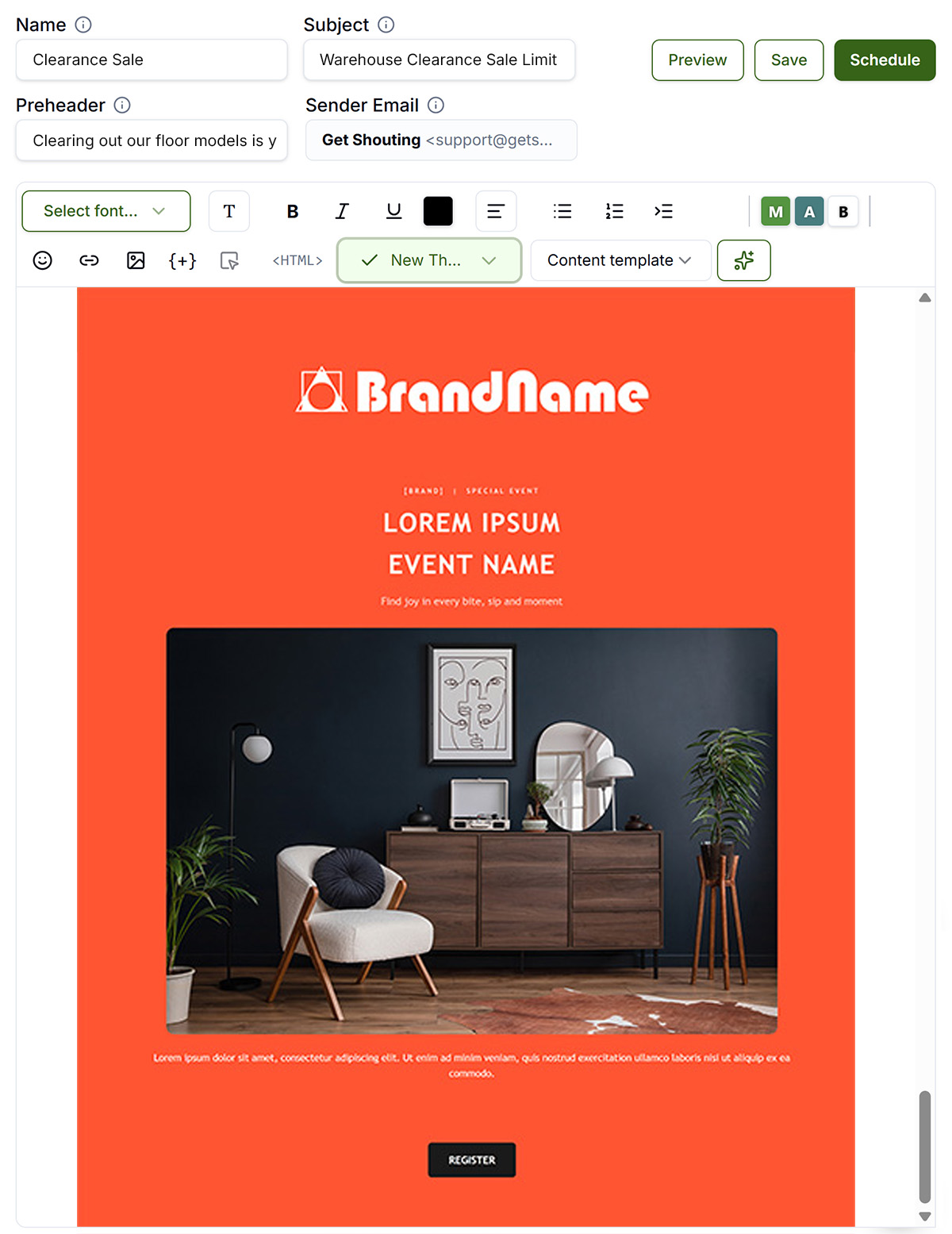
- Write in the email editor, apply a design template, or Generate from a URL → schedule send
Keep In Mind
- Monthly is the minimum that keeps the relationship alive; weekly is the goal when you have steady content, not a requirement on day one.
- Raise frequency only if open rates stay healthy; back off if unsubscribes spike.
- Contacts in Bounced or Complained segments are always excluded from sends.
Free In-App Guide
Implement as you go in the app. Sign in, open Account → My Profile → Start Marketing Academy and turn on Marketing Academy for the Ecommerce or General track. Email and in-app reminders will walk you through each step. See Use the In-App Marketing Academy.
Related How-To Guides
Next Up
In the next chapter, we'll be talking about how to Ensure Emails Are Read. Start with an enticing subject line.
Apply Your Knowledge
Start your free trial and follow along in Get Shouting.
Start Your Free Trial TodayNo credit card required • 14-day free trial • Cancel anytime