Your 30-Minute Monthly Review
Read Action Items first, then check your four numbers, segments, and one test for next month.
Thirty focused minutes each month beats hours in disconnected dashboards. Read Action Items first; they tell you where to look before you dig into numbers.
Why It Matters
Thirty focused minutes beats hours digging through disconnected dashboards.
Plan & setup notes
Analysis Action Items and campaign Optimize require Pro or Agency for full AI suggestions.
What to Do
- Open Analyze → Analysis and read Action Items first (Pro/Agency).
- Check four core numbers from The 4 Numbers Worth Tracking.
- Review Contacts → Segments for size and movement.
- Pick one test for next month based on what the summary flagged.
Copy / Template You Can Steal
30-minute monthly agenda:

0-5 min: Analyze → Analysis → Action Items
5-15 min: Four core numbers (The 4 Numbers Worth Tracking)
15-20 min: Contacts → Segments sizes
20-25 min: Active campaign → Optimize tab
25-30 min: Pick ONE test for next month
Do It in Get Shouting
- Analyze → Analysis: read Action Items first (Pro/Agency)
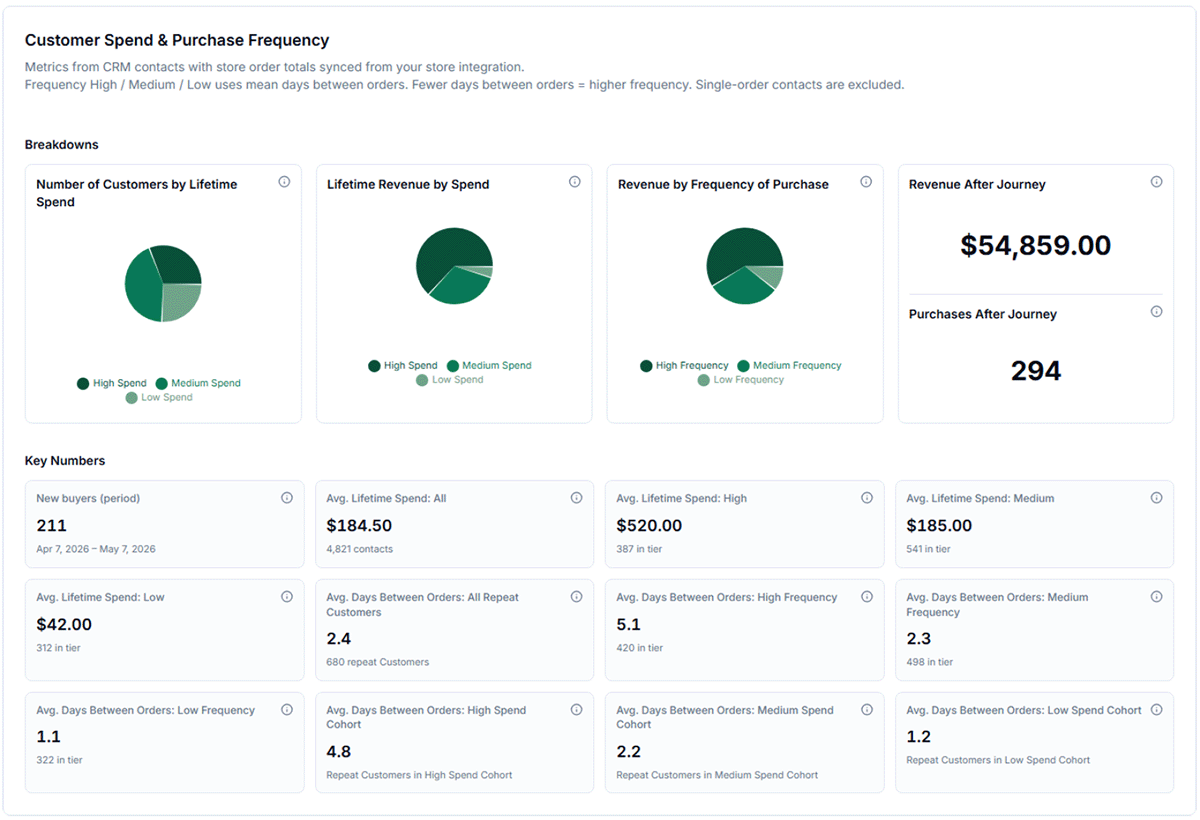
- Check commerce Key Numbers on Analysis tab
- Analyze → Email: open/click; Analyze → Campaigns: ROAS
- Contacts → Segments: size/movement
- Open active campaign → Optimize tab → review suggestions → Apply or Dismiss
Keep in Mind
- Campaign Optimize tab suggests winners, fatigue warnings, and budget shifts; Apply or Dismiss each.
- Schedule this review on your calendar the same day each month.
Related How-To Guides
Apply Your Knowledge
Your automated marketing department includes the monthly review built in.
Start Your Free Trial TodayNo credit card required • 14-day free trial • Cancel anytime