How to Manage Contacts
Your Contact list powers email, SMS, and your Segments from one place.
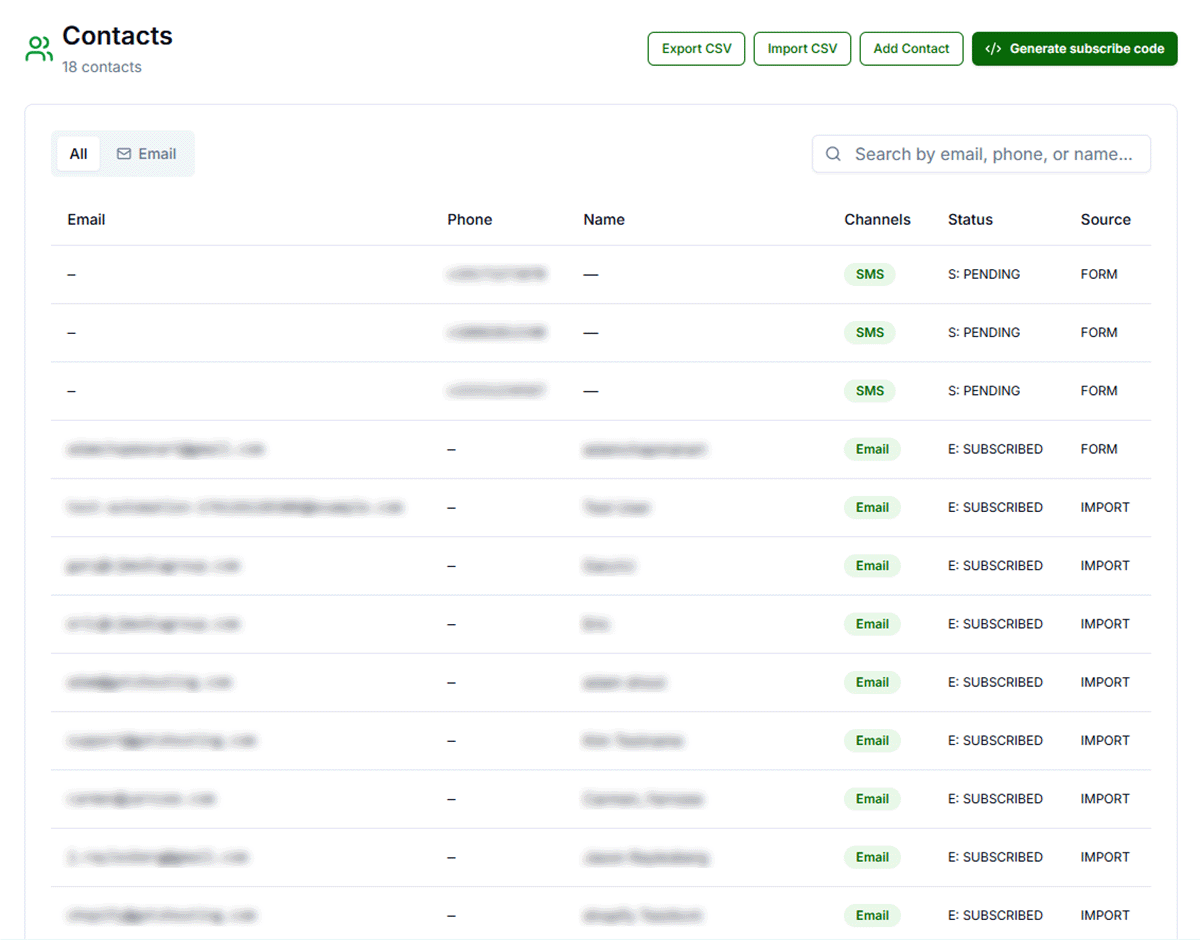
CRM and contact activity surface alongside email engagement so you can see how your audience behaves.
How Contacts Are Added
Contacts in Get Shouting are unified records (email address and optional phone number with channel preferences). They can arrive automatically from commerce and journeys, from public subscribe flows, from CSV import, or when you add them manually.
Automatic Updates from Your Store
When your Shopify or WooCommerce store is connected and Email CRM is enabled, checkout and Journey triggers create or update Contacts as shoppers interact with your store. Commerce-backed segments (for example spend tiers on Shopify) also rely on this data — see the Segments guide.
Store-connected and email activity can both feed the same contact timeline when CRM is enabled.
Subscribe Forms and Auto-Created Lists
When someone submits your public subscribe flow, their details are validated and upserted into your brand’s contacts. The Subscribers list is created the first time a contact subscribes via the form; contacts also appear in All Contacts alongside imports.
To place a form on your site you need the unique embed code for your brand. See How To Get Subscribe Form Code.
CSV Import
From Contacts, run an import and map CSV columns to contact fields (email is required; name, phone, address, and tags are optional depending on your file). Large files are processed in chunks so imports stay reliable.
The All Contacts list is created automatically the first time you import — you do not need to create it by hand.
Manual Add and Edits
Use Add contact (or edit an existing row) when you have a handful of signups from in-person events, support tickets, or corrections. Manual entry follows the same validation rules as API and form submissions.
Import and List Hygiene
- Map required columns correctly before starting an import; fix typos and role addresses that will bounce.
- Do not upload purchased or scraped lists without provable consent — it hurts deliverability and may violate policy.
- Hard bounces and spam complaints update contact status automatically via provider webhooks; respect unsubscribes and SMS opt-outs.
- Watch the Bounced and Complained system segments; if bounces climb, pause and clean your list.
Segments and Campaign Targeting
Lists hold static membership; Segments update as behavior changes. For creating custom Segments (Pro & Agency plans), system Segments, and Campaign selection, see How To Create & Manage Segments.
Related Marketing Academy Lessons
Strategy and context for why these steps matter: